Demos Sell Possibility. Production Demands Responsibility.
We’ve spent a significant amount of time deploying systems built around large language models, text-to-speech pipelines and image generation models. Along the way we’ve tested countless releases, benchmarked new architectures, replaced components that seemed promising and revisited assumptions that only a short time earlier had appeared settled.
The conversation surrounding AI is understandably centered on capability. A new model arrives with a larger context window, improved reasoning performance, faster inference or lower hardware requirements. Demonstrations appear almost immediately. Soon enough, there are examples circulating online showing impressive outputs, benchmark comparisons and claims about what has now become possible.
Most of these demonstrations are genuine. The systems are doing exactly what they appear to be doing. The difficulty is not that they are misleading. The difficulty is that demonstrations answer a very specific question and leave a number of other questions unanswered.
A demonstration establishes that something can be done under a particular set of conditions. It says very little about what happens when those conditions begin to change. In that sense, AI is not unusual. Software demonstrations have always existed in a more controlled environment than the systems they eventually become.
That distinction sounds obvious when stated explicitly, yet it turns out to have enormous consequences once a model becomes part of a product that people depend upon. The environment surrounding the demonstration and the environment surrounding a production system may appear superficially similar while sharing surprisingly little in common.
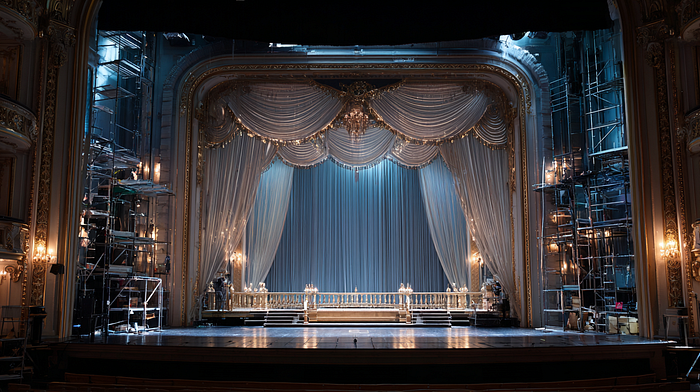
The model shown during a launch announcement is usually operating in circumstances that have been carefully arranged. The machine is known. The inputs are understood. The process is already running. Dependencies have been loaded. Memory has been allocated. Any compilation steps have already occurred. There is rarely any ambiguity regarding what the system is expected to do.
A production deployment accumulates concerns that are largely invisible during this phase. Infrastructure restarts unexpectedly. Queues build up. Traffic patterns fluctuate. Users discover behaviours nobody anticipated. Components begin interacting with one another in ways that seemed irrelevant during development and become unavoidable afterwards.
None of this implies that the demonstration was inaccurate. In most cases it was entirely accurate. What changes is the scope of the problem being solved. Establishing possibility and establishing reliability are related activities, but they are not the same activity.
The term real-time is a useful example.
The term appears so frequently in model announcements that it often passes without scrutiny. In many cases it is technically correct. Inference may genuinely be fast. Tokens may be generated quickly. Audio may begin streaming almost immediately. Images may appear in a matter of seconds.
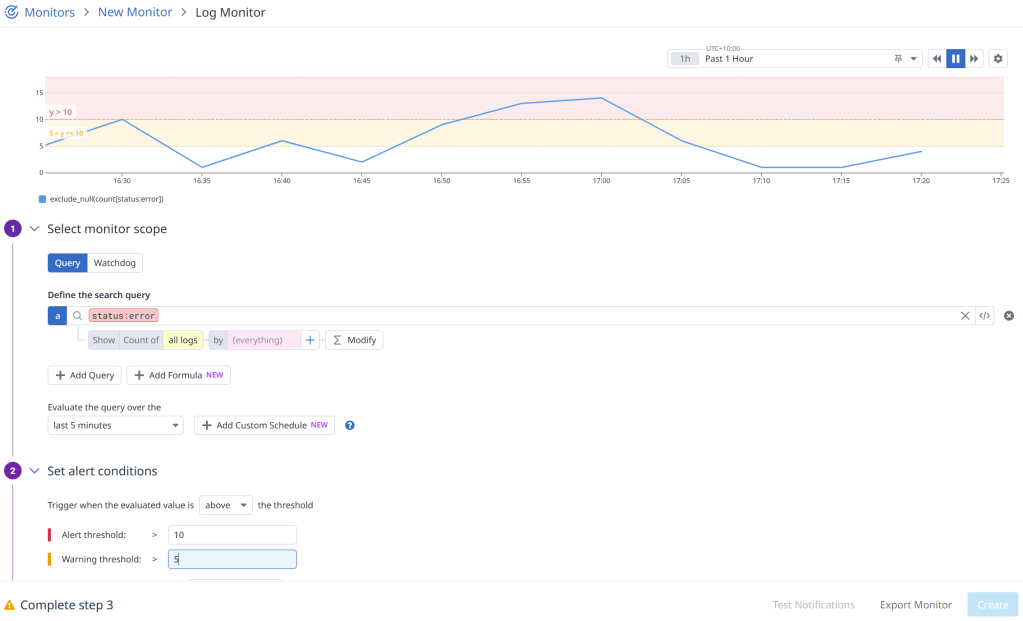
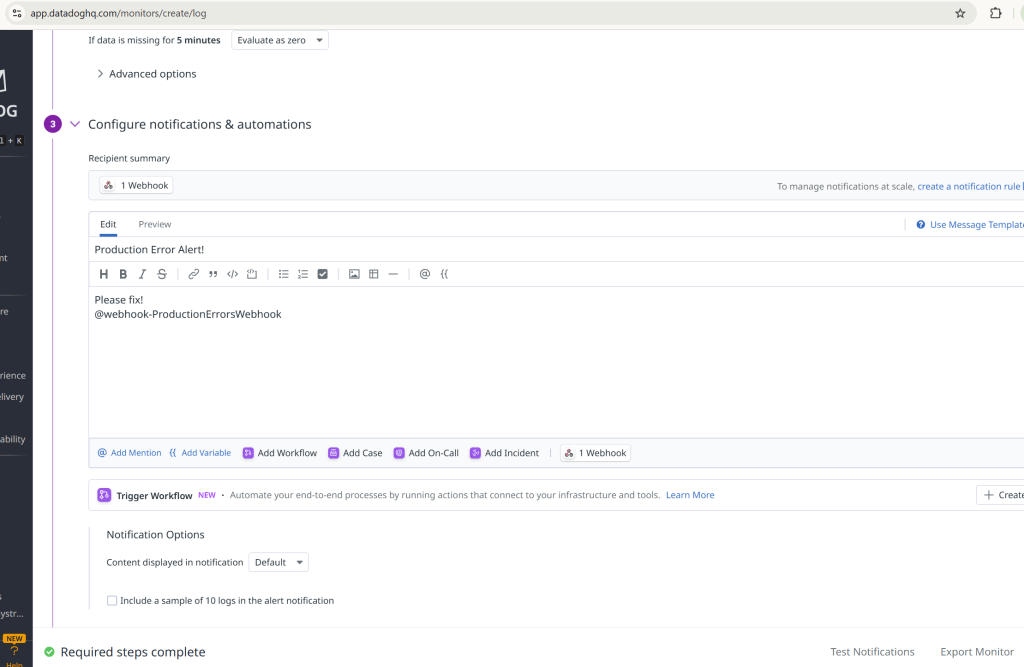
The challenge is that users do not experience inference in isolation. From their perspective, the model is only one component in a larger system, and the latency they perceive includes everything that occurs before and after the model generates its output. Models need to be loaded. Processes need to start. Infrastructure needs to route requests. Queues need to be drained. Memory needs to be available. Failures need to be handled. Monitoring and observability systems need to coexist with the workload itself.
As a result, a model can simultaneously satisfy the technical definition of real-time inference while producing a user experience that feels anything but real-time once deployed. Neither observation contradicts the other. They are simply describing different parts of the system.
This is one of the reasons why we have become increasingly cautious about interpreting performance claims outside the context in which they were measured. A benchmark is rarely wrong, but it is often incomplete. The conditions required to achieve a result can matter as much as the result itself.
Over time we’ve found that many of the most consequential engineering decisions emerge from details that receive little attention during demonstrations. Cold starts matter. Memory behaviour matters. Recovery characteristics matter. The ability to survive restarts matters. The ability to operate consistently after hours or days of uptime matters.
None of these concerns are especially exciting. They are also difficult to communicate in a launch video. Nevertheless, they often determine whether a promising capability can be transformed into a dependable service.
Language models provide a useful example.
At Parkbench, language models do considerably more than generate conversational responses. They maintain distinct personalities, extract structured memories from conversations, invoke tools when appropriate, generate media on request and support interactions that continue over long periods of time. The challenge is not merely producing a plausible answer. The challenge is producing the right answer reliably while satisfying a variety of constraints simultaneously.
This makes model evaluation more complicated than simple chat benchmarks suggest.
Every few months a new release appears accompanied by claims of lower memory usage, improved efficiency or viable CPU deployment. The proposition is always attractive. GPU infrastructure remains expensive, while CPU infrastructure is substantially cheaper. Given the pace of model development, it is difficult not to wonder whether the balance has finally shifted, which is why we continue revisiting the question whenever a promising new model appears.
The challenge has rarely been that newer models perform poorly. In many cases they perform extremely well. Recent releases have produced strong conversational results, respectable structured output performance and latency characteristics that would have seemed impressive only a short time ago. The difficulties tend to appear in less obvious places.
One model arrived with reasoning behaviour enabled by default, introducing response times that initially appeared inexplicable. Another produced acceptable outputs under straightforward conditions but struggled with more demanding structured extraction tasks. A smaller model passed schema validation tests while simultaneously leaking internal reasoning into user-facing conversations and failing tool invocation scenarios that appeared routine during evaluation.
None of these issues were visible from a capability perspective. They emerged from the interaction between the model and the requirements surrounding it.
Several times we have revisited the possibility that newer models and improved tooling might make CPU deployment economically attractive. The argument is easy to understand. GPU instances are expensive. CPU instances are substantially cheaper. The numbers invite experimentation.
We approached each round of testing with the expectation that newer models or improved tooling might finally change the economics. So far, the results have remained remarkably consistent.
Latency increased dramatically. Memory pressure became unstable. Structured extraction workloads failed. Tool-calling workflows became unreliable. In some cases processes terminated outright under workloads that would be entirely unremarkable in our GPU environments.
What makes these experiences noteworthy is not that failures occurred. Failures are expected during testing. What stands out is how consistently the operational characteristics diverged from the expectations created by capability-focused evaluations.
In most cases the limitations were not primarily about capability. The models were often capable of producing high-quality outputs. The difficulty lay in achieving the consistency, reliability and operational characteristics required for production workloads.
The conversation surrounding AI frequently treats capability and deployability as neighbouring points on the same continuum. In practice they often progress at different rates. A model may represent a genuine improvement in quality while still introducing operational trade-offs that make it unsuitable for a particular workload.
Text-to-speech systems exposed a different aspect of the same pattern.
On the surface, the workflow appears straightforward. A model receives text and produces audio. Modern systems are capable of generating remarkably convincing voices, often with a level of quality that would have seemed extraordinary only a few years ago.
Production introduces a different set of concerns. Generating speech and generating a reliable listening experience are not quite the same thing.
One reason is that audio is unusually intolerant of errors. Language can absorb a surprising amount of imperfection. Readers routinely infer missing words, reinterpret awkward phrasing and recover meaning from incomplete information. A slightly clumsy sentence often passes unnoticed because meaning survives the mistake.
Audio behaves differently. A brief click, an unnatural pause, a truncated word or a sudden shift in tone can disrupt an otherwise convincing experience almost immediately. Listeners may not always be able to identify what feels wrong, but they notice it nonetheless.
As a result, many of the challenges we encountered had very little to do with whether speech could be generated at all. The more difficult question was whether it could be generated consistently, across longer pieces of content, while maintaining the characteristics that made it pleasant to listen to in the first place.
One of the first issues we encountered was truncation, a consequence of the autoregressive nature of many text-to-speech systems. Audio is generated sequentially, with each segment conditioned on what came before it. Under ideal conditions this works remarkably well. Under less ideal conditions a generation may stop early, producing audio that contains only part of the intended content.
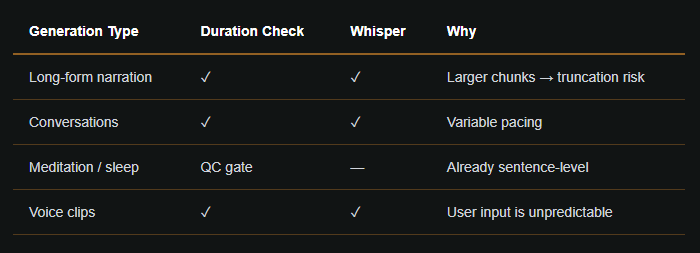
Our first attempt at detecting truncation was fairly simple. Generated audio has a rough relationship between word count and duration, so unusually short outputs were often a useful indicator that something had gone wrong. The approach worked well enough to catch obvious failures, but there were enough variations in speaking speed and content structure that duration alone was never going to be a reliable signal.
To improve confidence, we started transcribing generated audio and comparing the transcript against the original text. At first this seemed like a much more robust solution. Rather than inferring failure indirectly from audio length, we could verify whether the generated speech actually contained the words it was supposed to contain.
The complication was that the transcription system introduced its own failure modes. On longer audio segments it would occasionally insert words that had never been spoken or subtly alter sections of the text. Before long we found ourselves in the unusual position of trying to determine whether a mismatch reflected a problem in speech generation or a problem in the system responsible for checking the speech generation.
The eventual solution involved fuzzy matching techniques, longest common subsequence comparisons and a considerably more elaborate verification pipeline than we originally expected to build. As the system evolved, the challenge became less about detecting whether audio had been generated and more about determining whether the generated audio could be trusted. A mismatch between the source text and the transcription did not necessarily indicate a problem with speech generation. It could just as easily originate from the transcription layer itself. The result was a validation process that required increasingly nuanced ways of distinguishing between genuine failures and artefacts introduced by the tools used to detect them.
Much of this complexity emerged from the interaction between components rather than any individual component behaving incorrectly. The speech generation model, the transcription system and the verification pipeline could all be functioning largely as intended while still producing outcomes that were difficult to interpret with confidence. The most time-consuming problems tended to arise at the boundaries between systems rather than within the systems themselves.
These behaviours rarely appear during demonstrations because they require repetition before they become visible. A handful of successful generations can create the impression that a problem has been solved. The edge cases often emerge later, after hundreds or thousands of generations have accumulated enough variation to expose assumptions that previously went unnoticed.
The same pattern appeared as we expanded into longer-form meditation and wellness content. The underlying speech generation technology remained largely unchanged, but the criteria by which we judged the output began to shift. Characteristics that improved conversational audio were not always desirable in a meditation. Variations in emphasis, pacing and energy could make a voice feel engaging during a dialogue while becoming distracting over the course of a ten-minute guided session. The problem was no longer simply whether the speech sounded natural, but whether it remained unobtrusive over extended periods of listening.
Generating technically correct audio was only part of the problem. The voice also needed to remain calm, consistent and unobtrusive across several minutes of continuous listening. Achieving that required a combination of generation settings, voice selection, post-processing and automated quality checks that had little to do with whether the words themselves were spoken correctly. Over time we found ourselves measuring loudness variation, spectral characteristics and dynamic range because they correlated more closely with the listening experience we were trying to create than traditional notions of correctness.
From a user’s perspective, none of this is visible. They encounter a finished meditation that either feels calming or it doesn’t. The systems responsible for evaluating, selecting, retrying and refining that output remain entirely hidden. As the platform matured, a growing proportion of the work moved into those surrounding systems. Maintaining a consistent listening experience required layers of validation, quality control and post-processing that gradually became as important as the generation model itself.
Although the details differ between language models, speech synthesis and image generation, the underlying pattern has remained remarkably consistent.
The conversation surrounding AI often focuses on what systems can do. Production environments are where you discover what systems continue to do after weeks of uptime, infrastructure changes, unexpected inputs and repeated interaction with real users.
Capability remains important. None of these products would exist without the extraordinary progress that has been made over the last few years. At the same time, capability is only one component of a functioning system. Reliability, observability, validation, recovery and operational consistency all become increasingly important as prototypes evolve into products.
Over time, the center of gravity gradually shifts away from the models themselves. Early discussions tend to focus on model selection, benchmarks and new capabilities. Later discussions tend to focus on monitoring, deployment, validation, quality control and failure recovery. The model remains important, but it becomes one component within a much larger system.
For that reason, we have become increasingly cautious about treating demonstrations and production deployments as different stages of the same activity. They are related, but they optimize for different objectives. A demonstration answers the question of whether something can be done. A production system answers a more demanding question concerning whether it can be done repeatedly, predictably and under conditions that are rarely ideal.
The distinction sounds subtle when written down. In practice it has shaped almost every architectural decision we’ve made.